Pilot project · Escola Ixubãy Rabuī Puyanawa (Acre, Brazil)
Phase 1 — Escola Ixubãy Rabuī Puyanawa · Period: May - December 2025
22educators as direct beneficiaries
200students in the environmental workshops
52 hof training
3in-person and distance learning modules
2025 pilot project · Puyanawa people
Introduction
The “Amazon Guardian Schools Network” project promotes critical digital literacy and in-depth debate on connectivity in territories inhabited by Indigenous peoples, working together with Indigenous educators. Through the Fons Català de Cooperació al Desenvolupament and in cooperation with several municipalities in Catalonia, we offer teacher training in the educational use of technology, sustainability workshops and the donation of computer equipment to Indigenous schools in the Amazon.
The NGO Guardians de l’Amazònia, the beneficiaries and the professionals hired have been working together with the Puyanawa people for 10 years. This has allowed them to build a solid foundation of trust and mutual understanding, ensuring the effective implementation of the Amazon Guardian Schools Network (AGSN) project.
The AGSN aims to give Indigenous educators access to digital tools, promoting training in their ethical and safe use, in order to strengthen communication between peoples and to preserve their languages, their cultural traditions and the ability of these communities to face today’s social and environmental challenges.
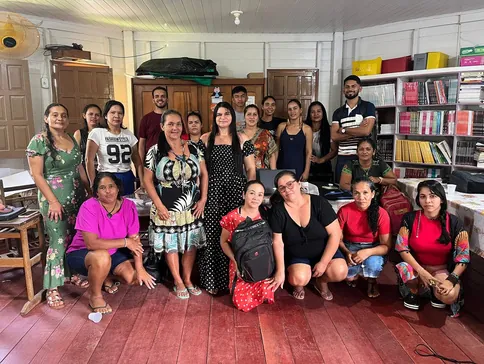
Thanks to international cooperation between the NGO Guardians de l’Amazònia and the Fons Català, with financial support from the municipalities of Molins de Rei and Begues (Barcelona), 22 educators from the AGSN received grants for strategic training at the Escola Ixubãy Rabuī Puyanawa. With a workload of 52 hours, the initiative brought together technological innovation and the protection of genetic heritage and associated traditional knowledge.
Two key pillars of the training
Digital inclusion and literacy
Building skills for the critical and bioethical use of digital tools and artificial intelligence, safeguarding data sovereignty and cultural integrity.
Production of Indigenous educational material
Development of independent educational content that values and records associated traditional knowledge in an ethical way.
The project stands out for its pioneering use of AI as a tool to safeguard the territory, ensuring that technological progress goes hand in hand with protecting the rights and ancestral wisdom of the forest peoples.
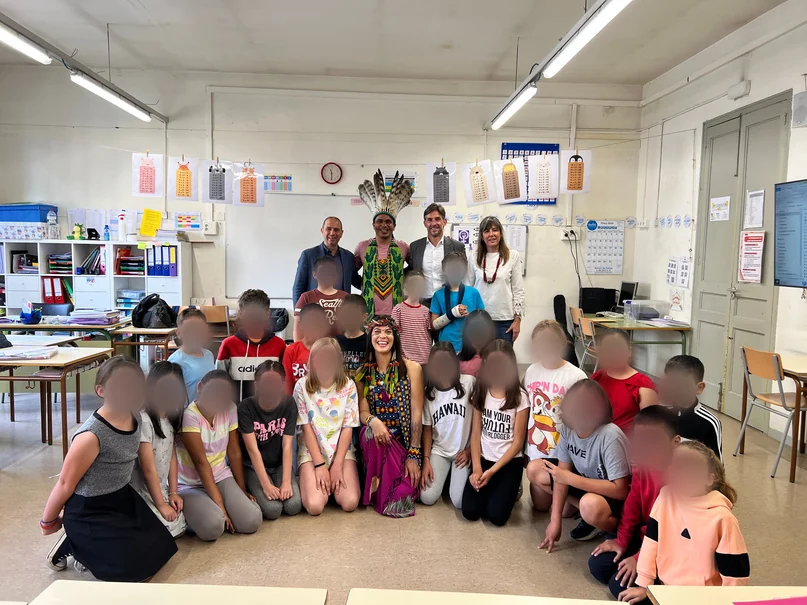
The preservation of culture and genetic heritage is another key pillar of the project. Through the AGSN, cultural and educational exchanges are promoted between schools in Molins de Rei and the Escola Ixubãy Rabuī Puyanawa, fostering intercultural understanding and respect for diversity.
In addition to digital education, the project included an environmental education module, with activities to raise awareness and encourage the adoption of sustainable practices among Puyanawa students. Alongside the activities at the Puyanawa school, intercultural awareness-raising activities were carried out with schools in Molins de Rei, Catalonia.
Schools in Europe
Indigenous schools
A global connection between North and South since 2017.
Results achieved — Phase 1 (Puyanawa village)
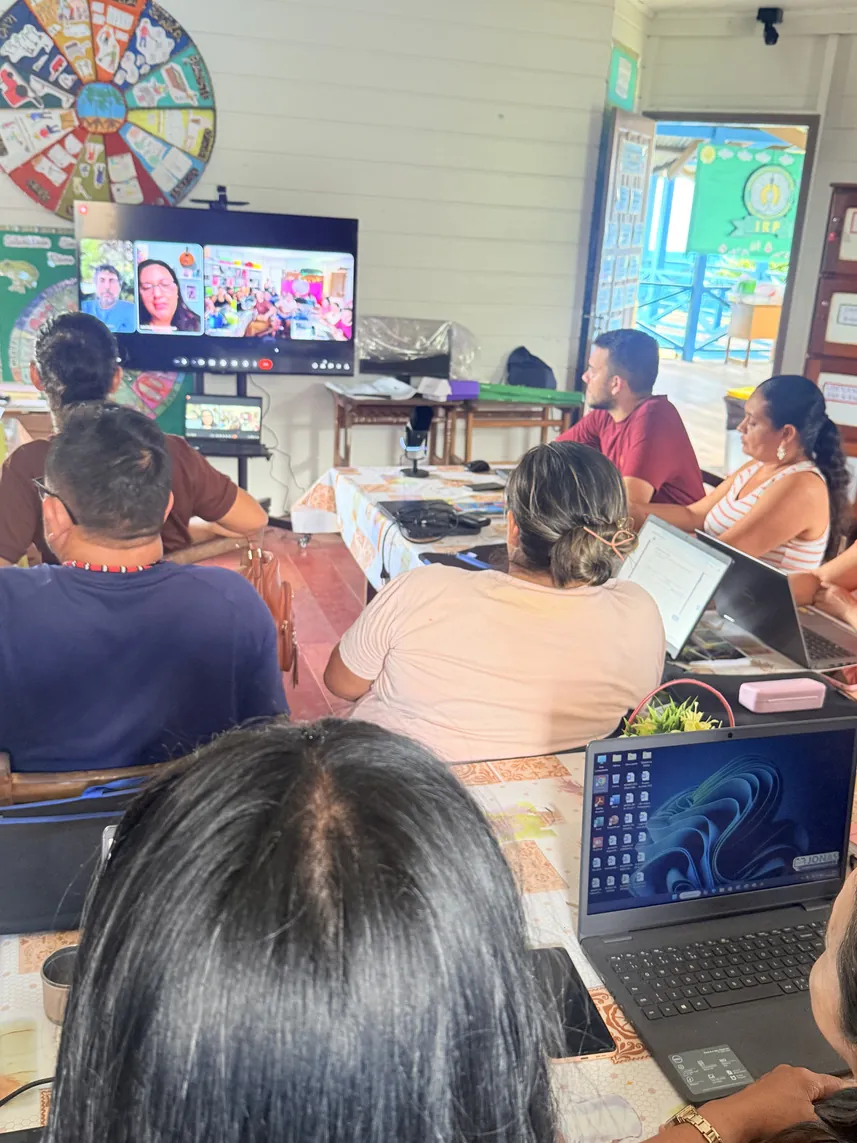
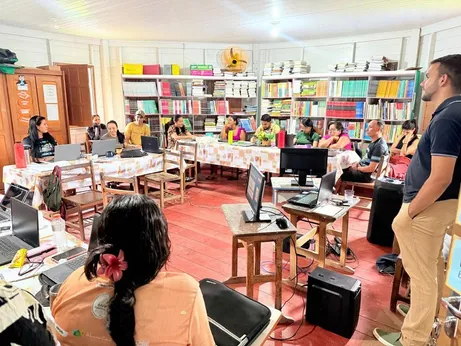
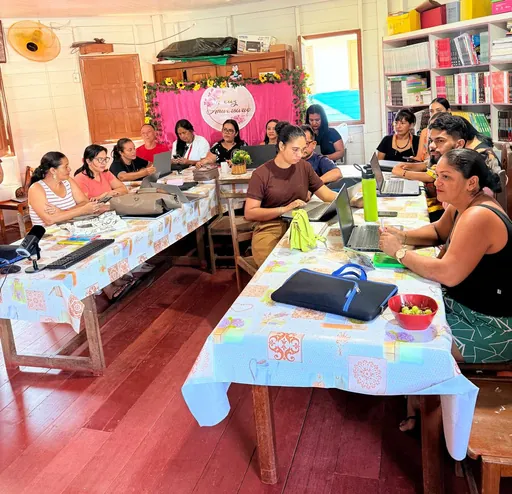
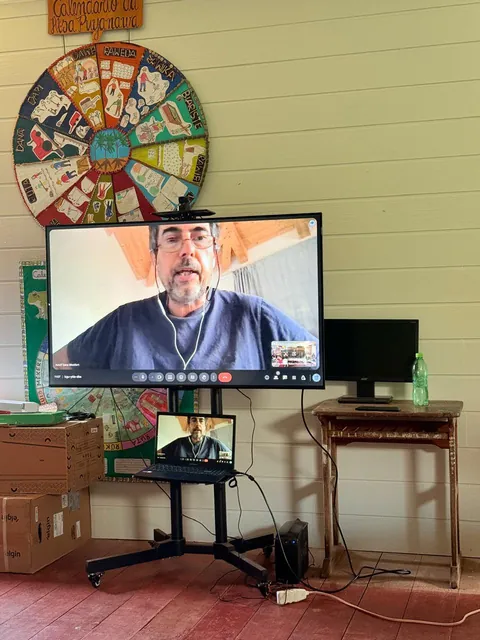
As regards the work carried out during the period, the educational space intended as a shared multimedia classroom has been fitted out, as planned in the original project. This work included upgrading the room’s electrical system, installing air conditioning to ensure suitable conditions of use and setting up internet connectivity through a Starlink system, already provided for in the approved project. In addition, a large screen and a computer have been added to make it easier to hold online training sessions and educational video conferences and to view teaching materials together.
At the same time, training and support activities for teachers have begun, combining in-person and online sessions focused on the educational and ethical use of digital technologies.
The overall aim of Phase 1 was to train Indigenous educators in the use of digital technologies and artificial intelligence as teaching tools, promoting inclusion and strengthening responsible digital education in the villages. The work was structured into 3 learning modules:
22Educators enrolled on the course100% of educators
17Took an active part in Phase 1Drop-outs: 1 left the school (F), 1 health problem (M), 1 scheduling problem (M), 2 lack of interest (M)
17Successfully completed the course16 women and 1 man
F = female; M = male.
Activity calendar — Phase 1 (2025)
Summary of the project work schedule. December: school holidays.
Phase 1 schedule
Activity
Dates
Starlink set-up and classroom assessment
May-June
Electrical installation and air conditioning
May-June
Purchase of computer equipment (phase 1)
July-August
Equipment installation and training
July-August and 14/09
Teaching materials and planning
14/09, 21/09, 28/09, 05/10 and 12/10
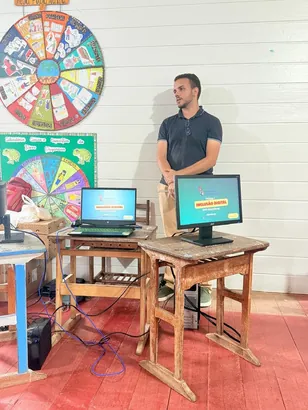
Digital inclusion classes (in person, teacher Jonas)
Class 1: 14/09 · Class 2: 21/09 · Class 3: 05/10 · Class 4: 12/10 · Class 5 (Q&A tutorial): 09/11 · Class 6: 16/11
Stage 1 assessment
11/12
Digital literacy classes (distance learning)
First distance class: 19/10 · Class 2: 26/10 · Class 3 (Canva): 02/11 · Class 4: 09/11 · Class 5: 16/11 · Class 6: 23/11 · Class 7: 27/11 · Class 8: 11/12
Ministry of the Environment (MMA) lecture
11/12
Reports on the in-person classes
14/09, 21/09, 28/09, 05/10 and class report on 12/10
Questionnaire analysis
05/10
Recorded presentations by the teachers
At the end of the phase (after 11/12)
Final report
At the end of the phase (after 11/12)
Supervision and support by Txai
May-June, 28/09, 26/10, 09/11 and 27/11
Supervision and support by the school coordinator
May-June, every week from 14/09 to 11/12, and end of the phase
In-person environmental training (Queralt Solsona)
09/11
Volunteer supervision and support (Queralt Solsona)
From 14/09 to 02/11
Tutorials for educator groups (Ivini and Jonas)
Phase 2
Phase 1 · In person
Module 1: Digital inclusion
Teacher Jonas AnjosIT technician and systems analyst
Module objectives (in person)
Ensure connectivity in the villages.
Manage and maintain existing digital resources.
Train the school management in the digital management of educational projects.
Train educators to use the computers donated by the State Department of Education.
Train educators in live streaming and distance learning (EaD).
Lesson 1: IT concepts, digital security and cloud organisation
Date: 6 September 2025 · Duration: 3 hours
1.1 Lesson objectives
Introduce the fundamental concepts of Information Technology (IT). Teach the basic principles of digital security, highlighting the importance and use of antivirus software. Demonstrate ways of organising files using cloud storage services (Google Drive). Familiarise participants with the basic components of a computer (hardware and software).
1.2 Content covered and activities carried out
Fundamental IT concepts: explanation of the difference between hardware (physical components, such as the mouse and keyboard), software (logical components, such as the operating system and programs) and malware (malicious programs).
Digital security: introduction to and demonstration of antivirus software (focusing on free and reliable options) and guidance on how to run scans and keep software up to date.
Google Drive and accounts: collection and verification of the teachers’ personal email addresses to create and activate Google Drive accounts. Creation of a folder structure and a sharing group in the project’s “work cloud”.
Hardware inventory: each teacher identified the hardware of their laptop (processor, RAM and storage) and noted any physical problems, to determine whether technical maintenance was needed.
Responsible use: guidance on preventive maintenance of the equipment and information on the budget available for repairs.
1.3 Results and difficulties encountered
Limited command of laptops (mouse, touchpad and keyboard) was observed. Some teachers were able to complete the tests on their own, such as logging in to Gmail and identifying the hardware. However, most participants needed one-to-one assistance with the practical activities.
Difficulties identified:
Access and passwords: several teachers had trouble recovering their Gmail passwords because there is no mobile signal in the village, which prevented two-step verification.
Software knowledge: some teachers showed very limited knowledge of basic operating system navigation.
Loss of continuity: the login difficulties affected the use of Google Drive, so more time was needed for one-to-one assistance.
Lesson 2: Basic use of Windows 11, safe browsing and screen mirroring
Date: 13 September 2025 · Duration: 4 hours
2.1 Lesson objectives
Introduce the basic Windows 11 interface (Desktop, Start menu, Taskbar).
Teach correct and efficient use of the mouse and keyboard (basic shortcuts, clicking, drag and drop).
Demonstrate how to connect to the internet safely and browse responsibly.
2.2 Content covered and activities carried out
Windows 11 basics: exploring the desktop, the role of the Start menu and how the taskbar is organised.
Mouse (touchpad) and keyboard: hands-on exercises in basic handling (single click, double click, drag and drop), common touchpad gestures and keyboard shortcuts.
Safe connection and browsing: demonstration of how to turn the Wi-Fi connection on and off, connect to the network and identify secure websites (using “https”).
Screen mirroring: practical instructions on using the built-in Windows feature (Project/Connect to a wireless display) to mirror the content of a laptop on a smart TV.
2.3 Results and difficulties encountered
Participants showed significant gains in confidence and speed, overcoming the initial difficulties of Lesson 1.
Screen mirroring: the demonstration generated great interest, as it was seen as a tool that could be used straight away for classroom presentations.
Participation: participation increased markedly compared with Lesson 1.
Train teachers in the concept of digital citizenship and the skills needed for digital educational record-keeping.
Train participants to use and navigate the Gov.br portal as a reference and service tool for educators.
Present methods for data security and protection on mobile devices (smartphones).
Demonstrate and practise the process of digitally signing official documents.
3.2 Content covered and activities carried out
Digital citizenship: an introduction to the concept, focusing on the importance of organising digital documents and using online tools responsibly.
Gov.br portal: full instructions on how to access, navigate and use the portal, including two-factor authentication, facial recognition and account recovery.
Mobile device security: essential security practices, such as setting strong passwords and being careful with app permissions.
Digital signature: practical demonstration of how to sign digital documents through Gov.br.
3.3 Results and difficulties encountered
The class focused on immediate practice, with teachers carrying out the Gov.br access procedures on their own devices while the instructions were being given. Several teachers successfully set up their access and digitally signed documents.
Ongoing difficulty: the main difficulty lay in recovering access to accounts and managing two-factor authentication, which proved impossible because of the lack of mobile coverage in the village. Teachers with access problems had to complete the recovery process over the following days, with the teacher’s support.
Lesson 4: Video conferencing (Google Meet) and organising peripherals
Date: 11 November 2025 · Duration: 4 hours
Lesson objectives
Train teachers to use Google Meet to schedule, join, host and record educational video conferences.
Teach the correct set-up and organisation of audio and video peripherals (microphone, speakers, webcam, monitors and TV).
Introduce and practise screen mirroring and screen sharing in online meetings.
Main results
Greater command of Google Meet: the teachers showed great interest and success in using the tool, managing to schedule, join and hold mock meetings on their own.
Hardware integration: the practice of connecting and setting up peripherals (TV/monitor, audio and webcam) was successful.
Overcoming the initial barrier: the group made remarkable progress, from basic difficulties logging in during Lesson 1 to holding video conferences with multiple peripherals.
Lesson 5: Forming groups to develop projects
Date: 8 November 2025 · Duration: 3 hours
The class was devoted to discussing and organising working groups and to generating initial ideas for the projects to be developed during the course. The main focus was on using technology as a means of cultural preservation, digital recording of the language and customs, production of authentic content by the community and strengthening the participants’ technological autonomy.
Project proposals discussed: a digital dictionary of the Puyanawa language; digitisation of the cultural festival; an online registration and visitor management system; a digital platform for selling handicrafts and cultural products.
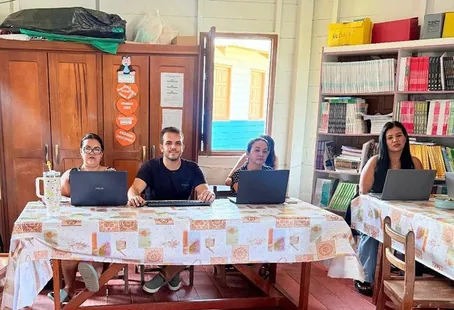
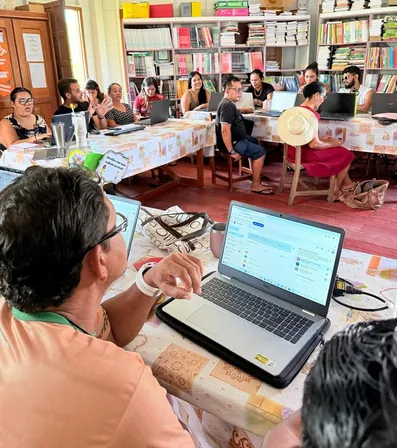
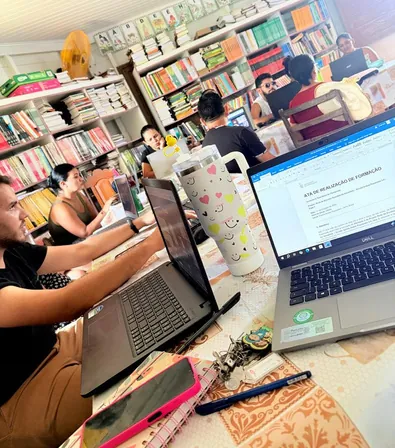
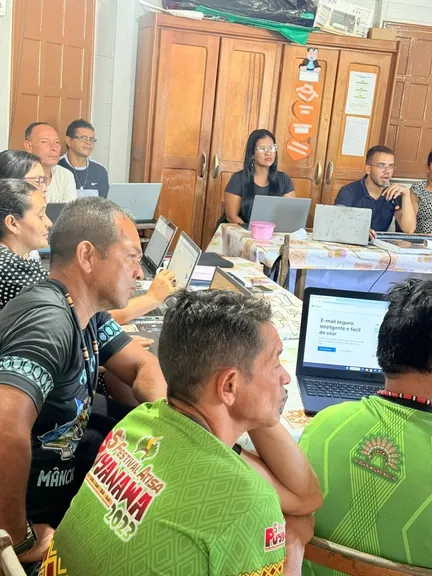
Photos — In-person digital inclusion classes
Phase 1 · Environmental education
Module 2: Sustainability workshops
Teacher Queralt Solsona RosellGraduate in Environmental Sciences, master’s degree in Circular Economy and Sustainable Development
Workshop 1 — Waste
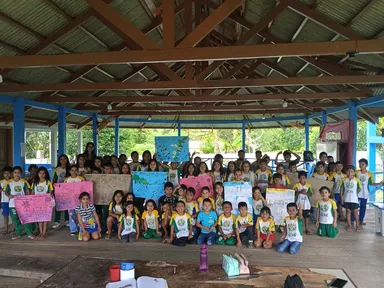
Date: 16 October 2025 · 200 students from the early years, primary and secondary levels
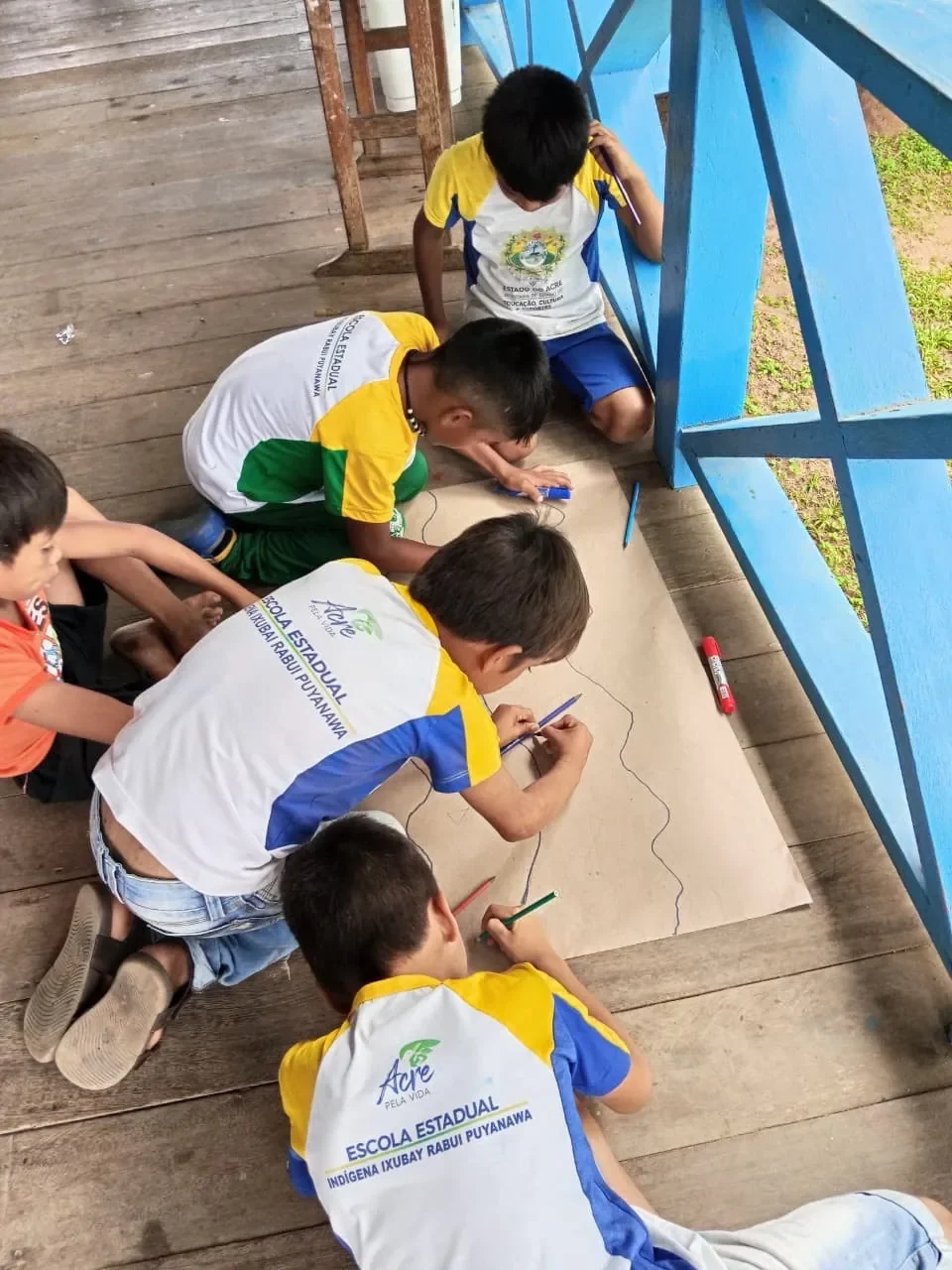
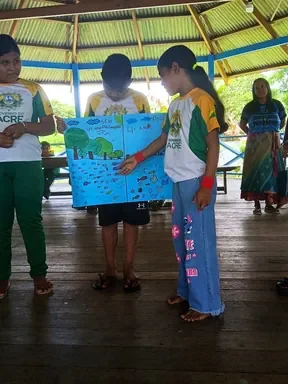
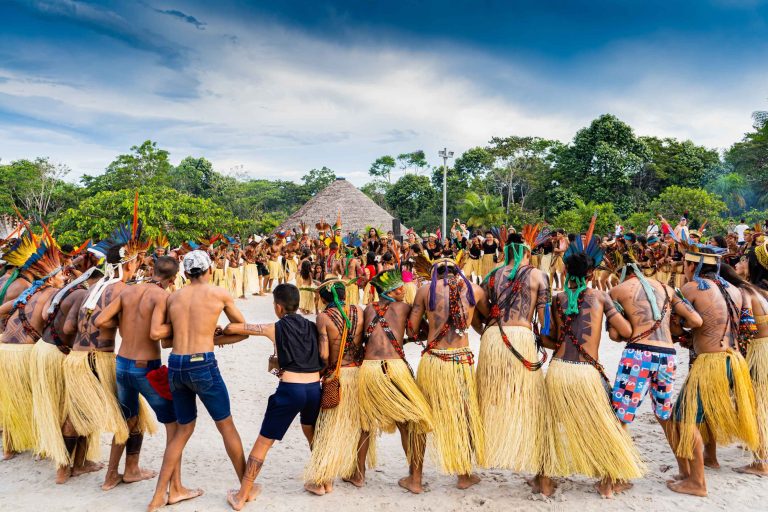
The educational activities were organised in the morning and in the afternoon, adapted to different age groups. In the morning, with pupils aged 7 to 11, the work focused on waste from the perspective of the local reality and the community itself. Through an interactive audiovisual presentation and a group art activity, the children reflected on the impacts of waste, the types of waste and good practices. On card, they depicted the community’s river in two scenarios —polluted and clean— identifying waste such as plastics and batteries, as well as the environmental and social consequences. The activity encouraged creativity, teamwork and speaking skills, and ended with presentations to the whole school, which also included cultural elements such as sounds of nature and traditional Puyanawa dances.
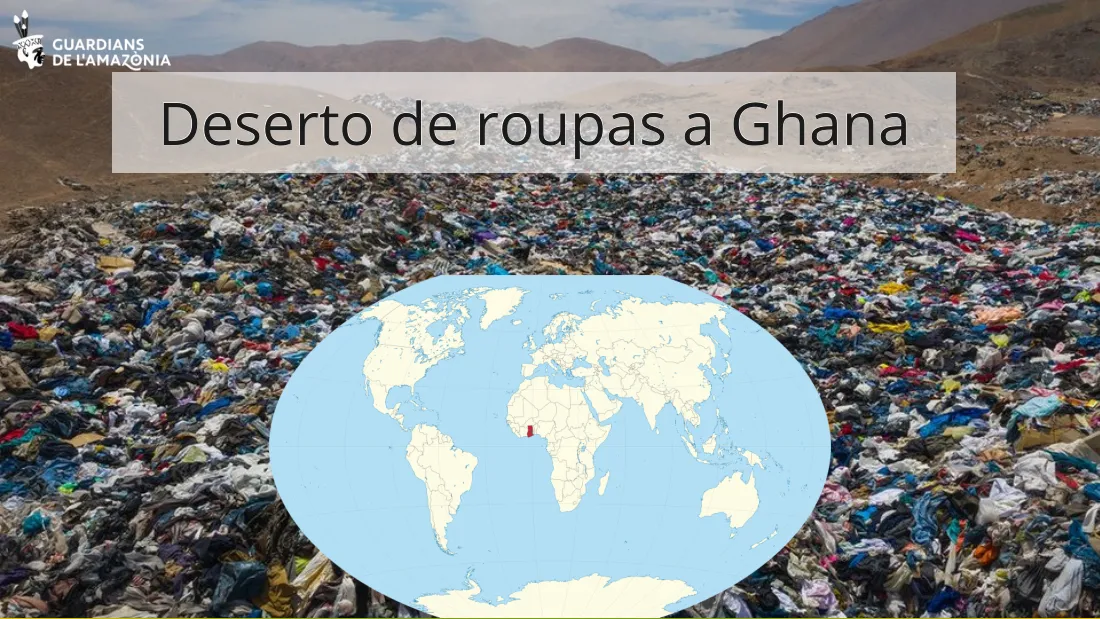
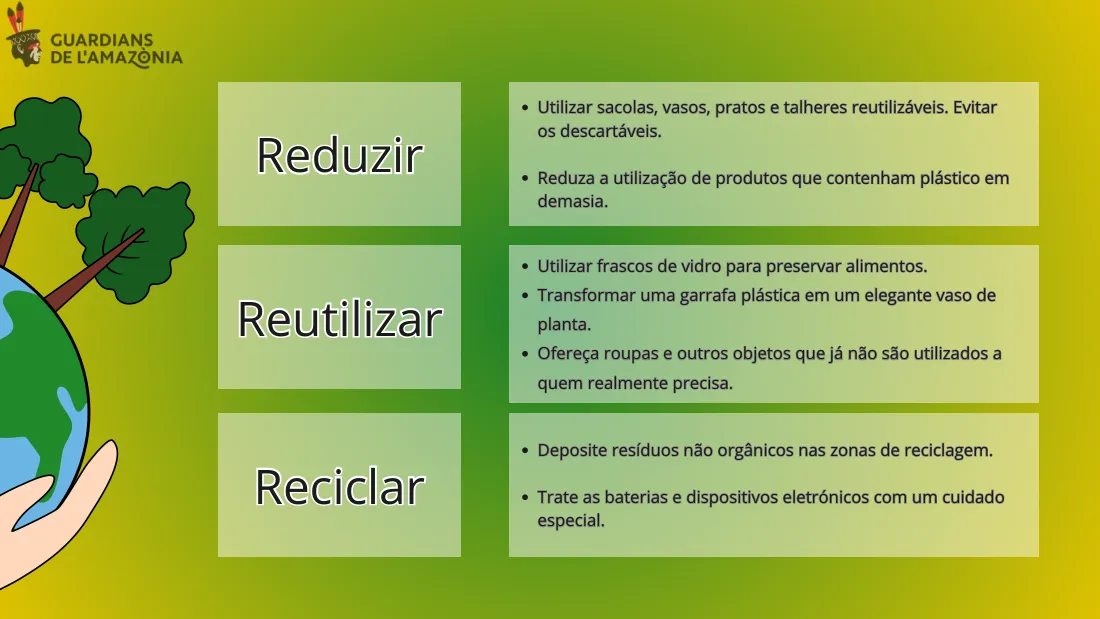
In the afternoon, the activities were aimed at students aged 11 to 17, with a broader, global approach that linked individual actions to environmental impacts on a worldwide scale. Real examples from different parts of the world were presented: Ghana, Bangladesh, the oceans and the Amazon itself. The students researched and gave presentations on different types of waste, analysing their environmental, social and health impacts, as well as possible solutions based on the 3 Rs: reduce, reuse and recycle.
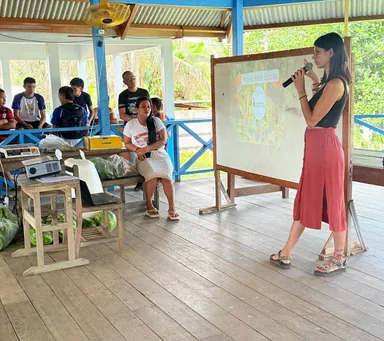
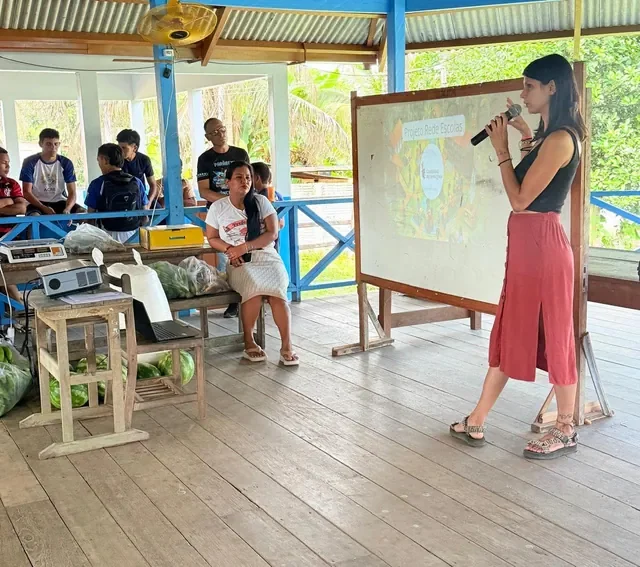
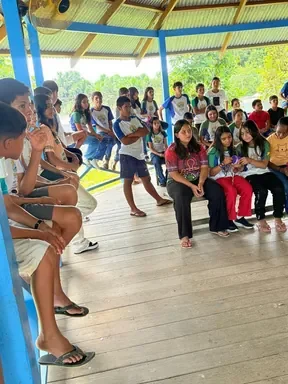
Sustainability workshop at the school.
Workshop 2 — Climate change
Date: 22 October 2025 · 70 primary and secondary students (aged 11 to 17)
Indigenous communities such as the Puyanawa are particularly vulnerable to the effects of climate change, both because of their geographical location and because of their dependence on natural resources. In addition, this year Brazil is hosting COP30, where many Indigenous peoples are organising to claim their rights and their essential role in tackling the climate crisis.
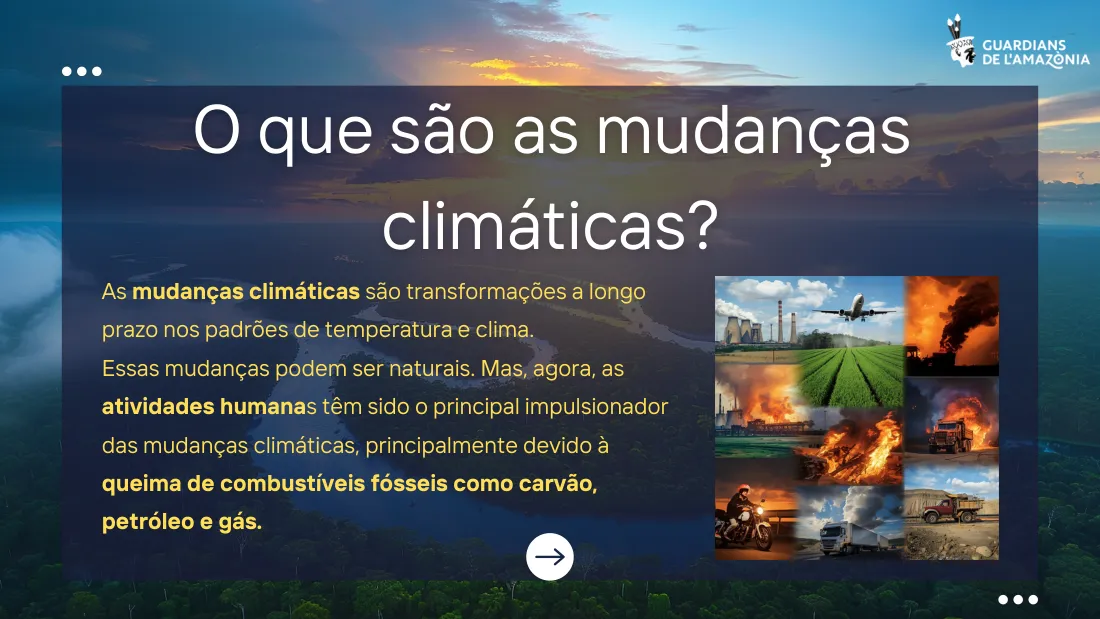
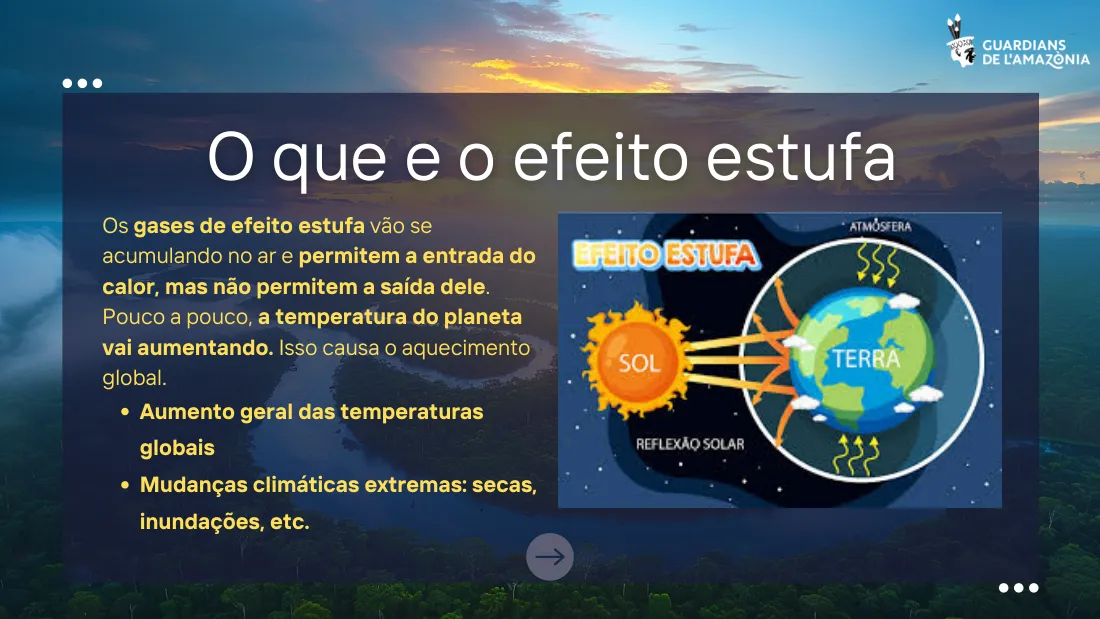
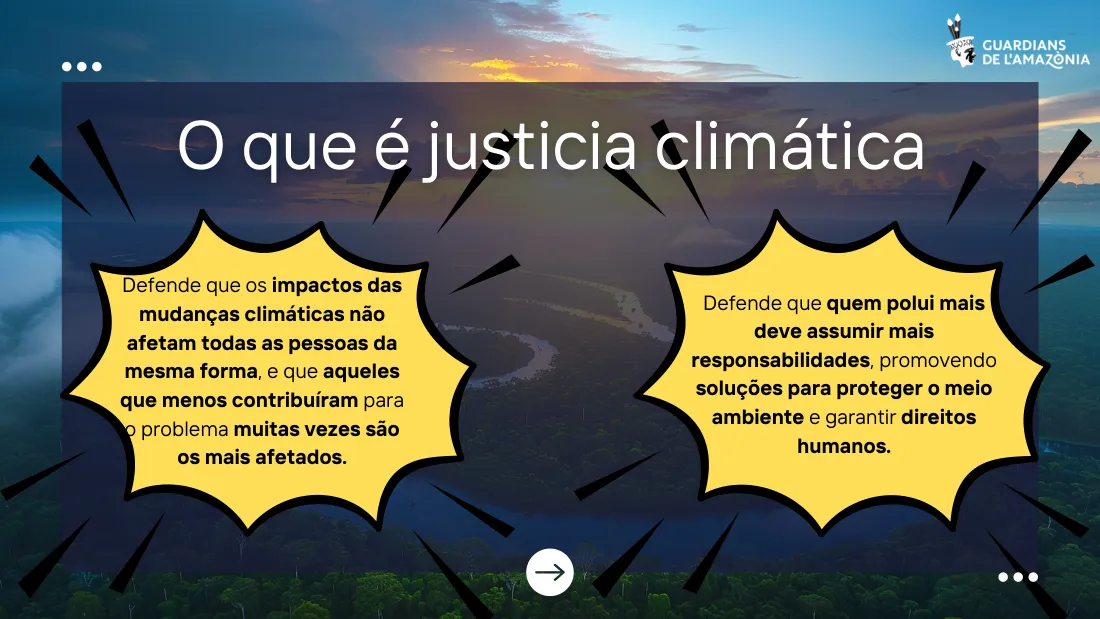
The educational activity offered an introductory and critical approach to climate change and its impacts, supported by PowerPoint presentations and participatory materials. The students learnt about concepts such as global warming, the effects of climate, the most vulnerable areas, the human causes of the climate crisis and climate justice, with practical examples and recognition of the good practices of Indigenous peoples such as the Puyanawa.
Focus by year group (primary school):
6th year: hydroelectric power stations
7th year: mining and prospecting
8th year: cattle ranching and monocultures
9th year: illegal burning and carbon markets
At secondary level, the focus was on the relationship between biodiversity, land, culture and citizenship and the preservation of the Amazon ecosystem and climate justice, highlighting topics such as the demarcation of Indigenous lands and the promotion of sustainable lifestyles. The project ended with a final presentation of the results to the whole school community.
Photos — Sustainability workshops
Teacher Queralt, from Spain (volunteer with the NGO Guardians de l’Amazònia), environmental scientist with a master’s degree in Circular Economy and Sustainable Development. She teaches educators and secondary school students.
Examples from the workshop presentations
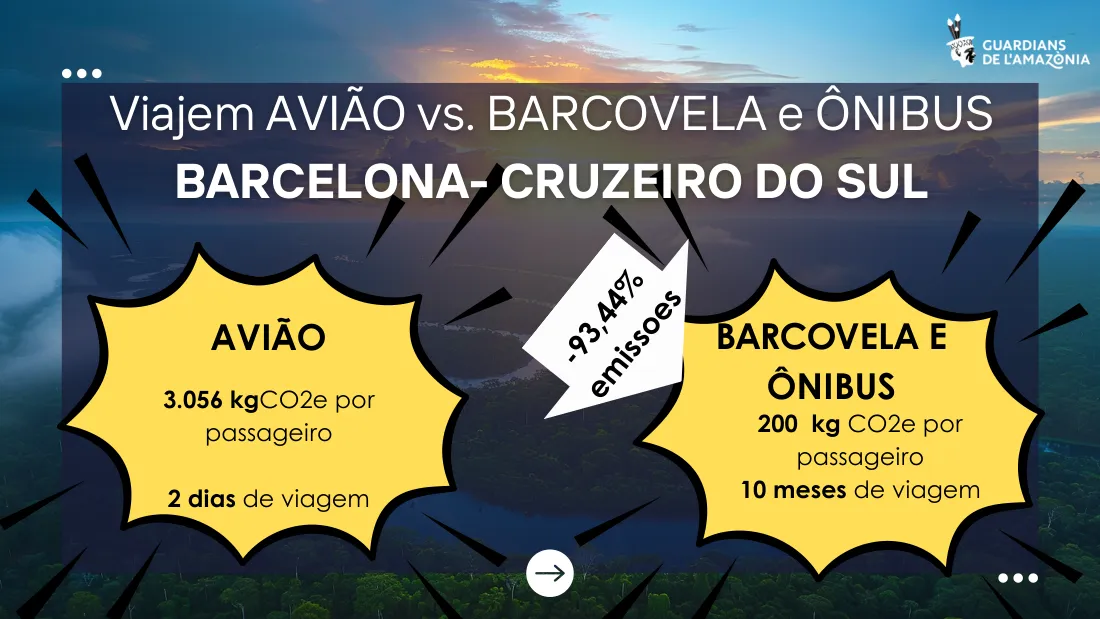
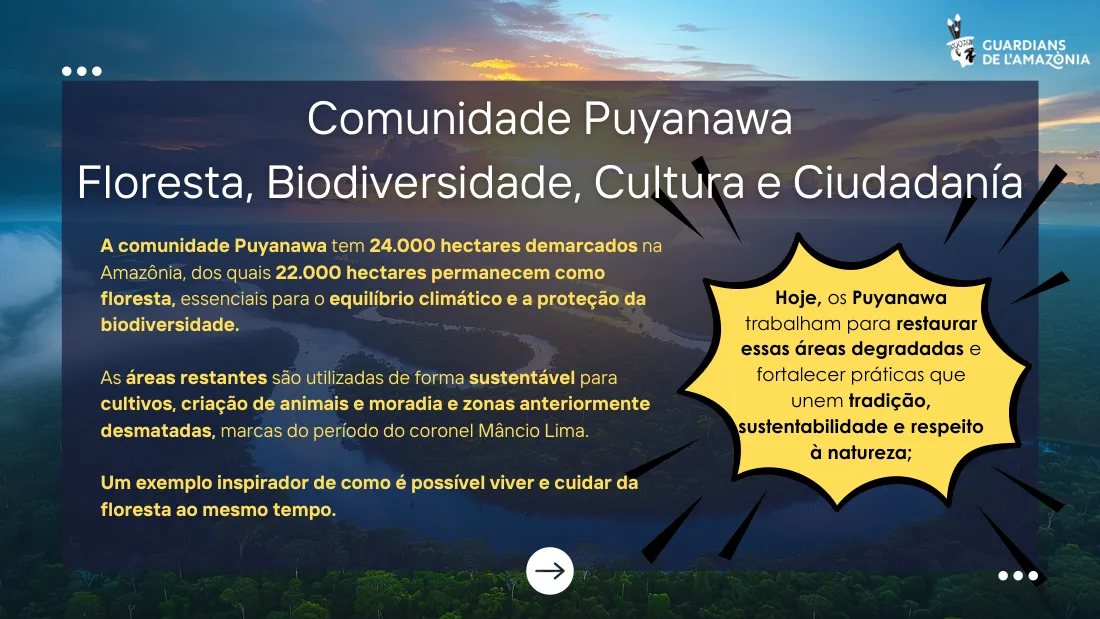
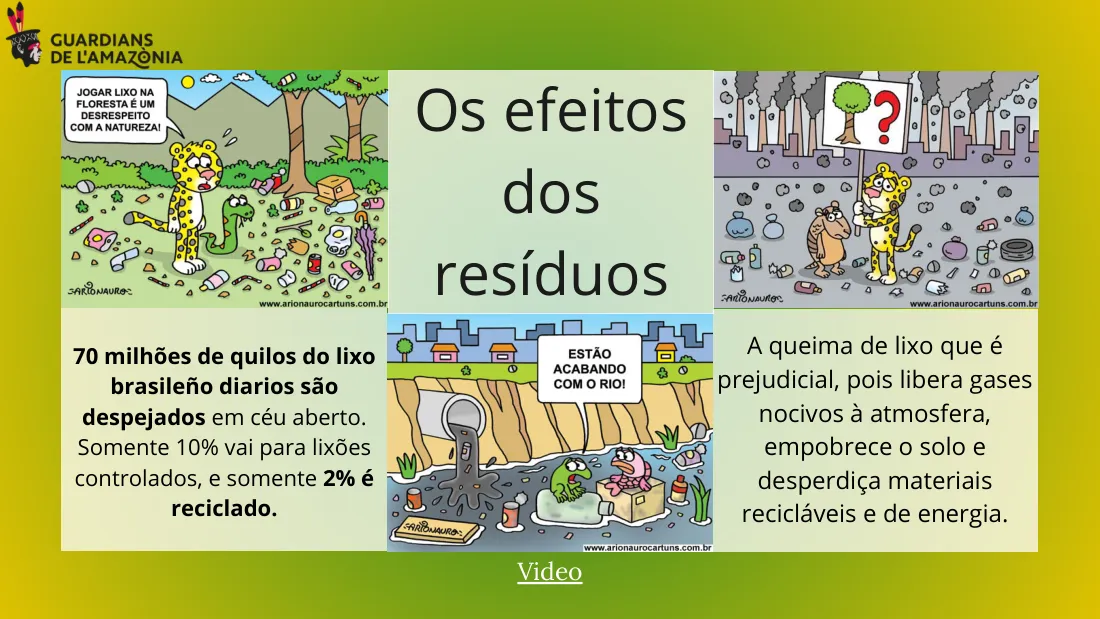
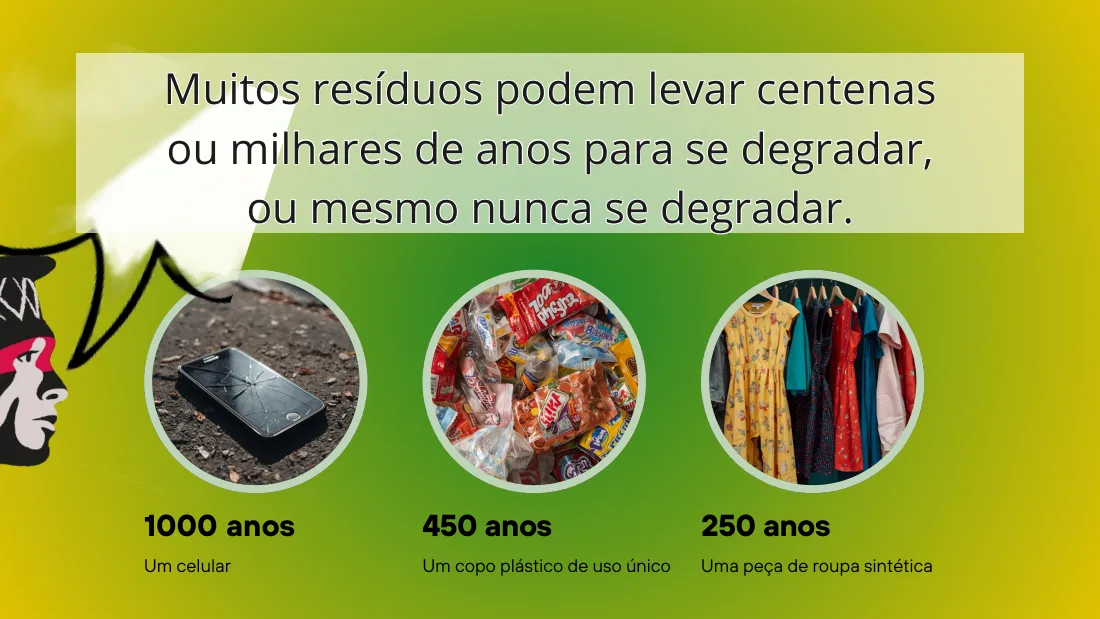
Some slides from the presentations “Climate change” and “Waste” (in Portuguese), prepared for the workshops with the students.
What is climate change?
The greenhouse effect
Climate justice
Plane or boat: carbon footprint
The Puyanawa community and the forest
The effects of waste
How long it takes to break down
Clothing desert in Ghana
Reduce, reuse, recycle
Phase 1 · Distance learning
Module 3: Digital literacy
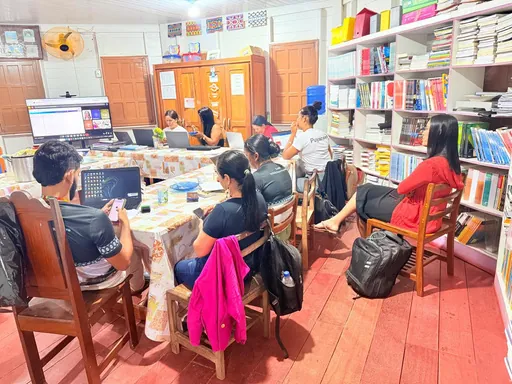
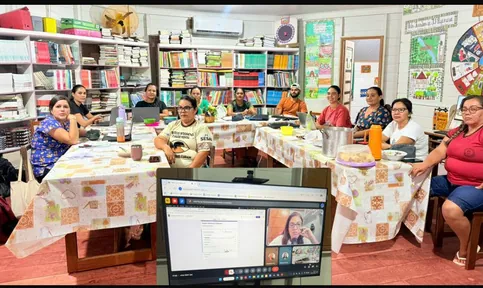
Classes given via Google Meet.
Teacher Ivini FerrazMaster of Science
Lesson 1: Introduction to digital literacy
Date: 19 October 2025 · Venue: Google Meet
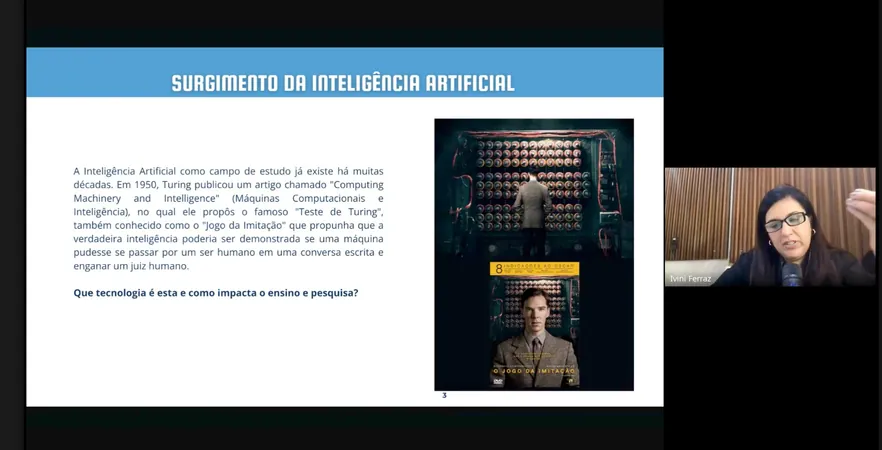
The class marked the start of the digital literacy pilot project in the AGSN. Teacher Ivini Ferraz, who has a background in media literacy and experience at the Ministry of the Environment and UNESCO, explained the crucial distinction between digital inclusion (access and infrastructure, a fundamental right in Brazil since 2021) and digital literacy (critical use and understanding of technology). The class framed the digital environment as a new “ecology” that redefines the very concept of the environment. The central theme was hyperconnectivity in the Amazon and the dilemma between the benefits and the risks of digitalisation.
Lesson 2: Media ecology
Date: 25 October 2025 · Venue: Google Meet
The central theme addressed by teacher Ivini Ferraz was digital literacy and media ecology, focusing on how the features of Google apps (Gmail, Drive, Docs, Calendar, Photos, Sites and YouTube) can be applied in an educational context. The class examined the distinctions between media ecology and digital ecosystems, free software, and the issue of data collection and the LGPD (Brazil’s General Data Protection Law), explaining that on “free” platforms such as Google and ChatGPT, users’ data becomes a commodity, which amounts to unpaid digital labour.
Distance class via Google Meet.
Lesson 3: Technodiversity
Date: 30 October 2025 · Venue: Google Meet
The content covered both theoretical and practical foundations, starting with the etymology of the word “technology” and its history. This discussion served as a bridge to place artificial intelligence in context through the Turing test (1950). The course then moved on to a decolonial critique of technology with Yuk Hui’s concept of “cosmotechnics”, questioning the universality of Western technology and arguing for a “decolonisation of technology” and an “epistemology of the Global South”. Ailton Krenak’s book Futuro ancestral (Ancestral Future) was cited. Participants were also warned about the “persuasive design” of screens and “platform capitalism”. The Escola Ixubãy Rabuī Puyanawa shared its experience, acknowledging that new technologies are crucial for administrative record-keeping and cultural preservation, especially for archiving ancestral traditions.
Lesson 4: Artificial intelligence and prompt structure
Date: 6 November 2025 · Venue: Google Meet
The class focused on artificial intelligence (AI) and its use in the classroom. The central theme was the structure of effective prompts, setting out the five essential elements: context, task, format, tone and audience. The class also covered the use of AI in creating projects, such as organising chats by topic and linking specific documents to the answers.
Lesson 5: Tools for creating educational projects
Date: 13 November 2025 · Venue: Google Meet
The three final project themes were reviewed and several tools were presented: Google Forms (surveys and data analysis), Google Slides (an alternative to PowerPoint), the Gamma app (generative artificial intelligence for presentations), Google Sites (creating responsive websites), Wix (a more robust alternative) and the use of AI to summarise form responses.
Lesson 6: Developing projects with AI
Date: 19 November 2025 · Venue: Google Meet
The class focused on developing projects with artificial intelligence. Ivini Ferraz demonstrated the practical use of generative AI tools such as ChatGPT, Gemini and Claude for writing projects. A key point was the discussion on the use of AI in academic work: the greatest risk is not plagiarism, but AI “hallucinating” and providing incorrect references. The recommendation was always to use advanced prompts and to have the generated text reviewed by a person.
Lesson 7: Canva for educators (part 1)
Teacher Karla PriscilaMaster’s degree in Educational Technologies
Date: 27 November 2025 · Venue: Google Meet
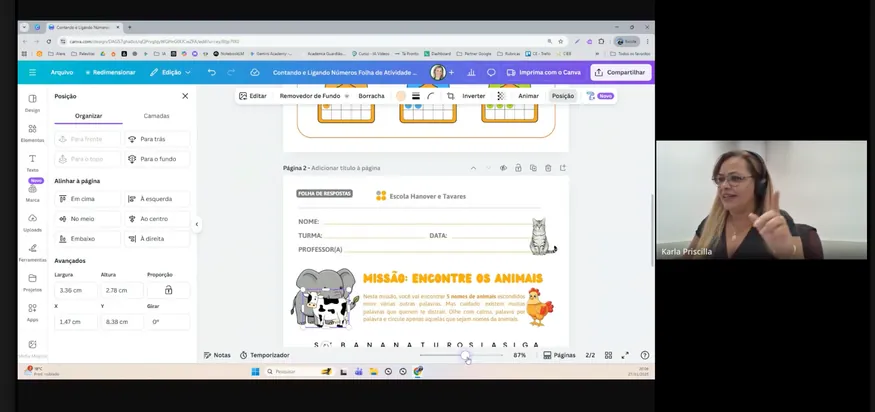
This class was given by guest speaker Karla Priscila, educational technology manager and Canva.com Brazil ambassador. The aim was to obtain a “Canva for Education” account, free and permanent for teachers, with access to all Pro features and AI tools. The demonstrations included: exploring and customising ready-made templates, the “Design activities” tool for custom word searches and crosswords, and AI features such as “Magic Eraser”, “Magic Grab” and “Magic Edit”.
Materials created with Canva by the teachers
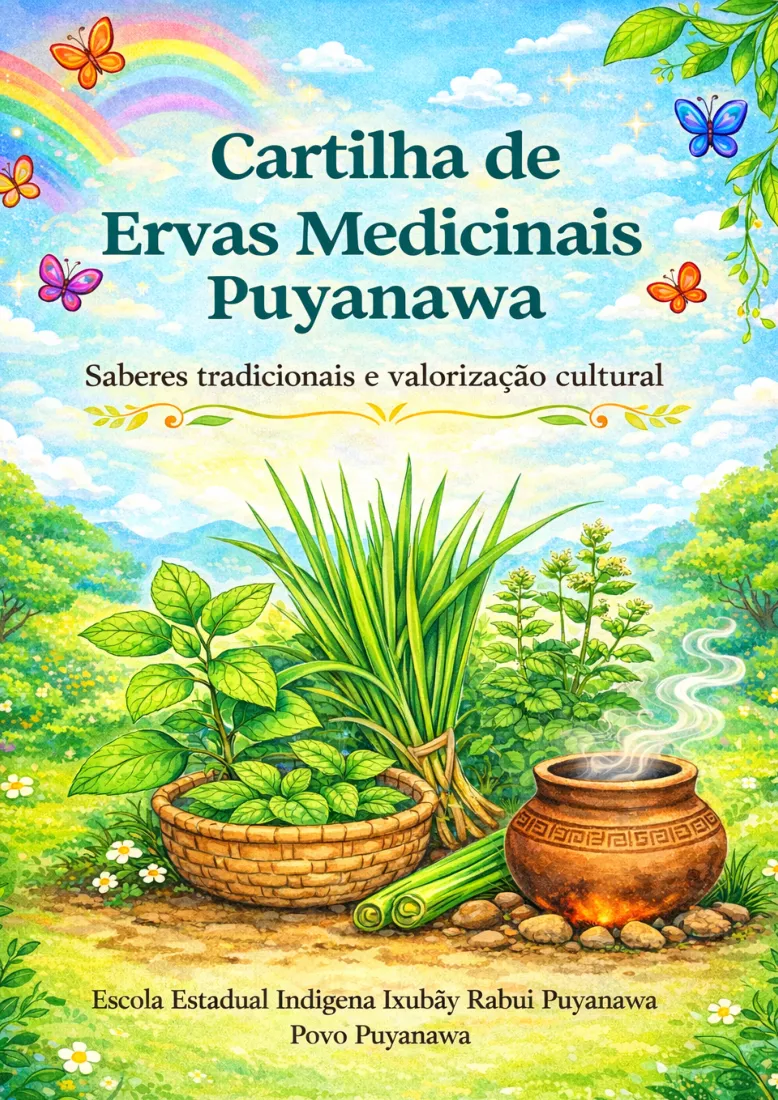
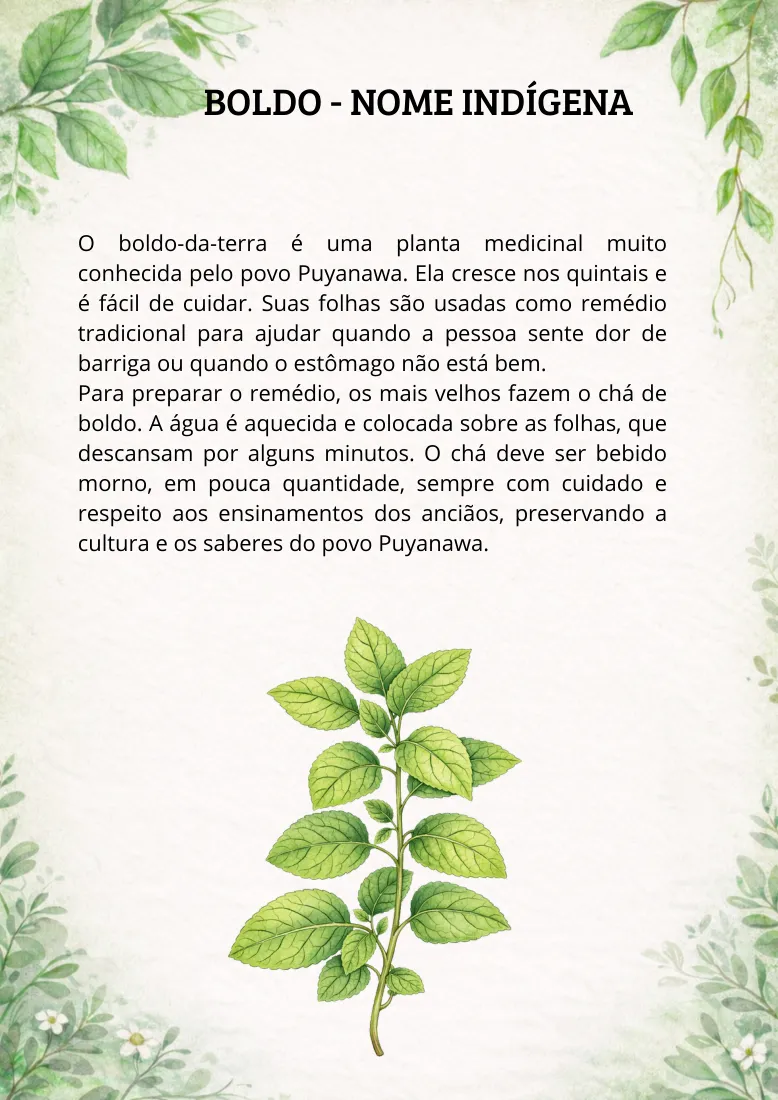
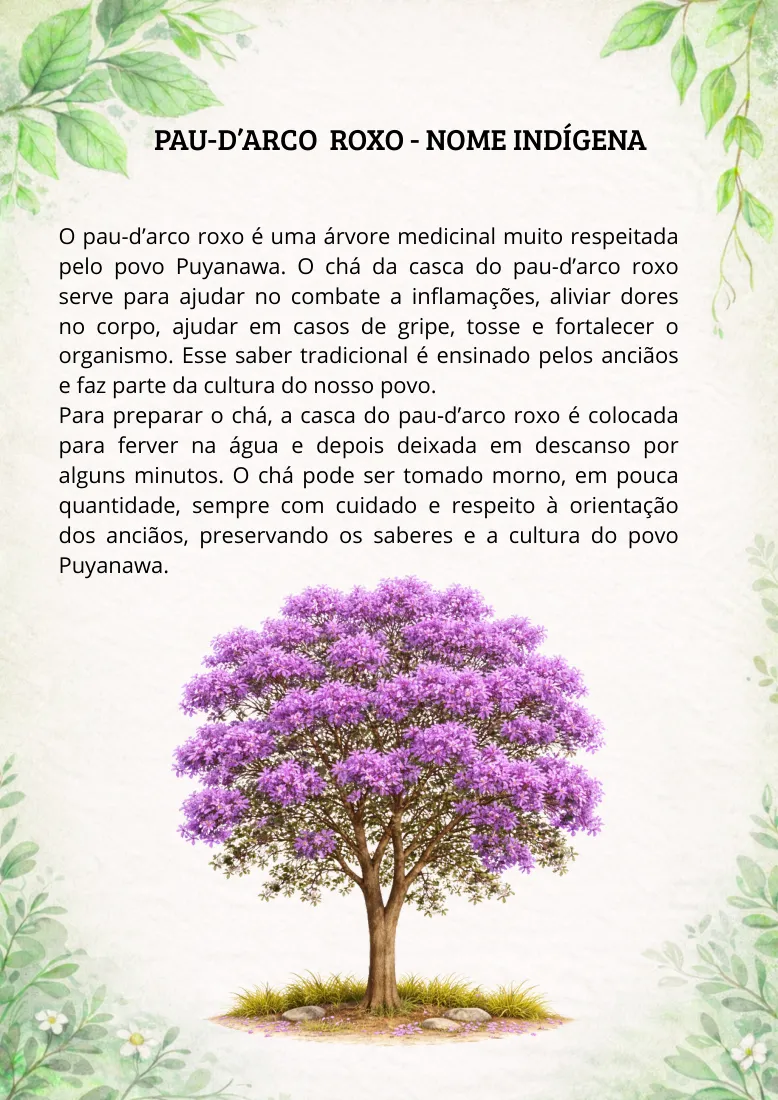
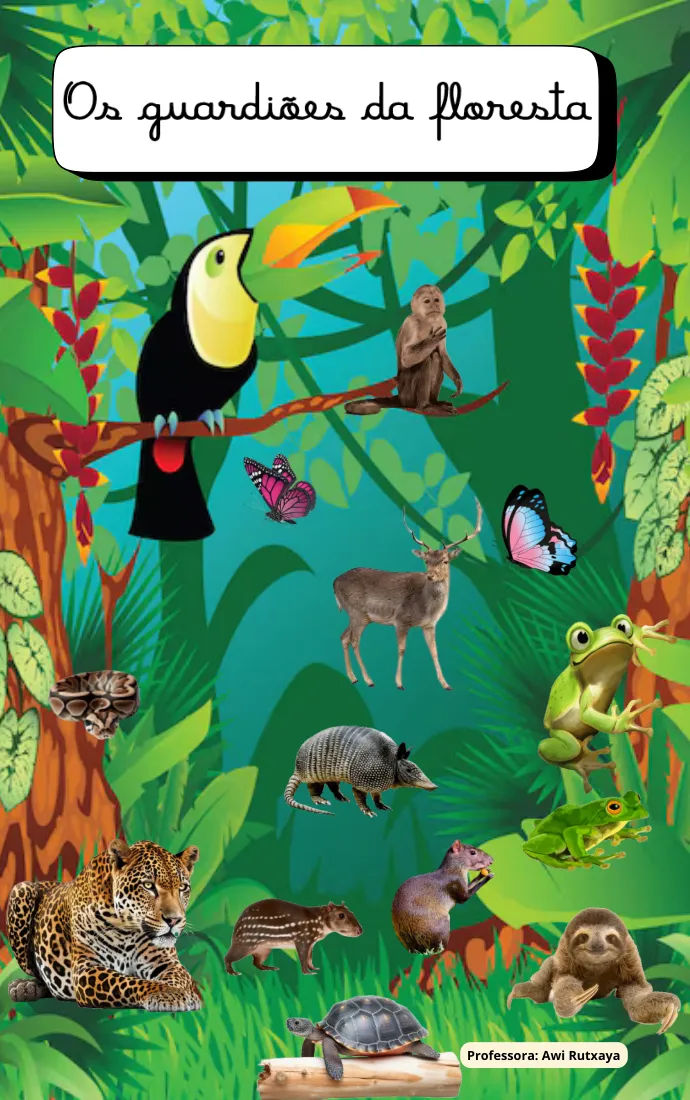
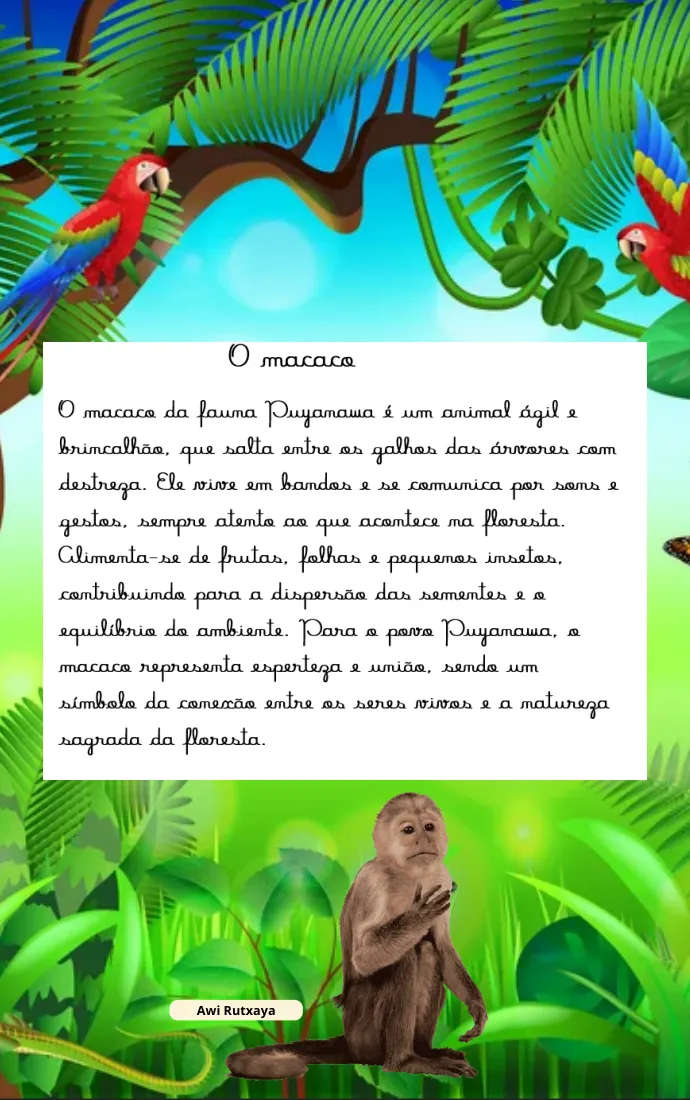
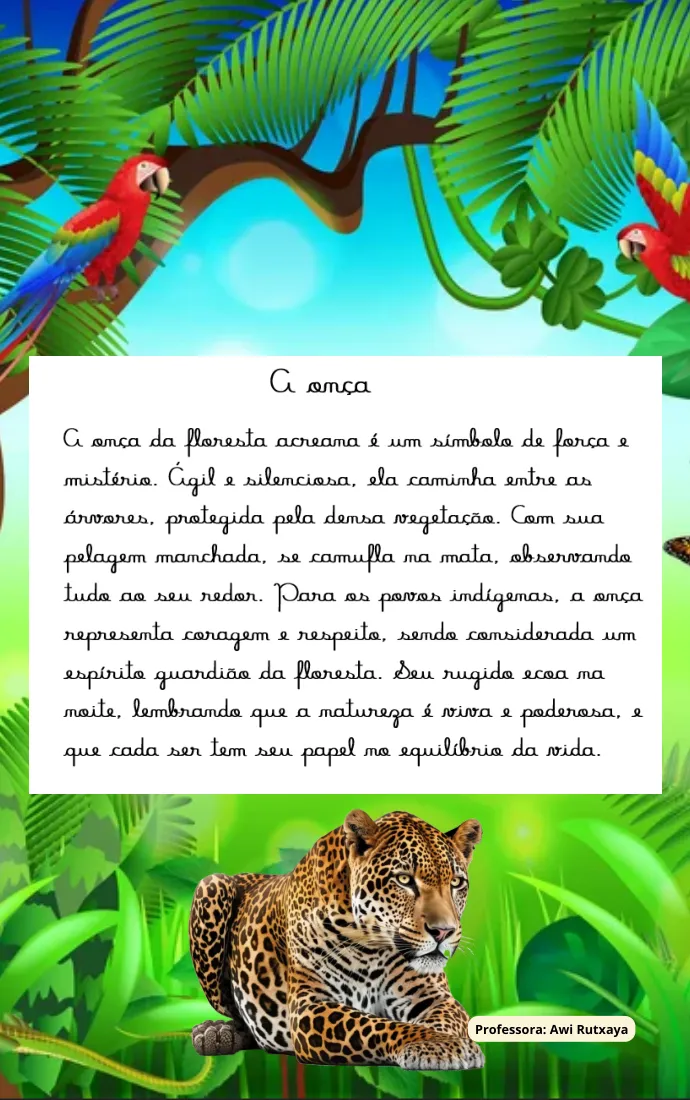
Examples from the “Cartilha de Ervas Medicinais Puyanawa” (Puyanawa medicinal herbs booklet) and the book “Os guardiões da floresta” (The guardians of the forest), produced by teachers at the school.
Medicinal plants booklet: cover
Boldo
Pau-d’arco roxo
“Os guardiões da floresta”: cover
The monkey
The jaguar
Lesson 8: Canva for educators (part 2)
Teacher Ivini Ferraz · Date: 10 December 2025 · Venue: Google Meet
The class given by Ivini Ferraz offered a comprehensive approach to Canva for creating educational materials. Advanced features were explained in detail, such as organising designs in folders, the Brand Kit feature and unlimited storage. Emphasis was placed on fundamental design concepts, such as layers, and the Mockups feature was introduced to preview designs on object templates.
Digital literacy material for educators.
Lesson 9: MMA lecture — Department of Genetic Heritage
Date: 11 December 2025 · Venue: Google Meet
The lecture given by Rodrigo de Albergaria, an analyst at the Ministry of the Environment, focused on the legal framework and mechanisms for protecting Genetic Heritage and Associated Traditional Knowledge (ATK) in Brazil. It presented the Prior Informed Consent (PIC) mechanism, benefit-sharing (1% for Genetic Heritage, 0.5% for ATK) and the role of CGEN (the Genetic Heritage Management Council). It highlighted the opportunity to take part in the 2025 Guardians of Sociobiodiversity Award (R$ 50,000) and the possibility of an online course on the law aimed specifically at Indigenous schools.
Photos — Digital literacy in distance education
Digital skills assessment
1. Diagnostic methodology
The assessment of the school’s digital skills and technological conditions was carried out in two complementary stages, which provided a more complete and up-to-date picture of the situation.
Stage 1 — Initial diagnosis (November 2024)
Carried out by the Txai Foundation in collaboration with the NGO Guardians de l’Amazònia during the first meeting at the Escola Ixubãy Rabuī Puyanawa. Structured questionnaires, semi-structured interviews and dialogue with teachers and leaders were used. Around 10 teachers took part.
Stage 2 — Update questionnaire (October 2025)
An extended questionnaire was given to 17 educators, which made it possible to update the initial diagnosis, obtain more accurate quantitative data and identify specific training priorities.
2. Demographic information and education
Indicator
Result
Women
94.1% (16 of 17)
Men
5.9% (1 of 17)
Predominant age range
31 to 42 years (58.8%)
Completed higher education
52.9%
Postgraduate qualification
29.4%
Master’s degree
5.9%
3. Connectivity and equipment
Indicator
Result
Wi-Fi connection at home
82.4%
Uses 4G/5G
17.6%
Uses Android smartphones
88.2%
Online “almost all the time”
41.2%
Online for more than 4 hours a day
23.5%
4. Use of digital tools and AI
Indicator
Result
Have never used ChatGPT or Gemini
58.8%
Use AI frequently
11.8%
Use Google frequently (Docs, Sheets, etc.)
52.9%
Do not know how to use Gov.br well
52.9%
Use video conferencing very rarely
58.8%
5. Teaching experience and learning interests
76.5% of the educators have already carried out a project using technology with their students.
35.3% of the teachers teach at secondary level, and 29.4% in the first stage of primary education (Ensino Fundamental I).
Main areas of interest for training
Area
Educators
Project writing
58.8%
Video editing
47.1%
Creating spreadsheets and calculations
47.1%
6. Perceived impact of the internet on the community
Benefits identified
Risks identified
Access to knowledge
Excessive use of social media
Faster communication
Video games and distractions in class
Support for teaching work
Access to inappropriate content
Sharing of culture within the community
Less face-to-face interaction
Development of educational projects
Final remarks
Skills improved after the training
Use of video conferencing tools
Creation of teaching materials with Canva
Access to device maintenance services
Mindful and academic application of generative artificial intelligence
Use of the Google suite of apps (Calendar, Docs, Slides, Sheets)
Data protection and privacy
Digital signature
Equipment maintenance, backups and file protection
Three main conclusions from the analysis
Limited digital infrastructure for educational use
Most teachers had laptops donated by the state government, but lacked the training needed to operate, update and maintain them properly and to protect them with antivirus software. 60-inch monitors, microphones and webcams are needed for group distance learning.
Problems with the quality of the electricity supply in the village
The village’s electrical system is quite precarious. It was necessary to pay for repairs and an uninterruptible power supply (UPS), and to upgrade the school’s electrical panel to power the air conditioning and make the equipment more stable, especially during the rainy season.
Great interest and motivation among the teachers
The testimonies of Indigenous teachers confirm the interest and relevance of the AGSN project, including the ethical use of AI in Indigenous education, in the following areas: strengthening teachers’ digital skills; expanding the educational use of technologies; supporting the production of educational content; and bringing together technology, education and the appreciation of Indigenous culture.
Implementing these actions is a real opportunity to strengthen education, broaden access to knowledge and value the cultural and genetic heritage of the Puyanawa people. We also believe that digital education for teachers mainly benefits the education of secondary school students, which could widen Indigenous students’ access to federal universities.
Results achieved — Pilot project
Satellite connection.
Purchase of new equipment: a large screen and a computer for online training, educational video conferences and viewing materials together.
Electrical maintenance at the school.
Air conditioning in the library classroom.
Environmental education and sustainability workshops with the school’s students.
Intercultural video conferences between students at the Escola Ixubãy Rabuī Puyanawa and schools in Catalonia, such as Escola El Palau in Molins de Rei.
Participation in the Ministry of the Environment’s Guardians of Sociobiodiversity award.
More opportunities to develop and raise funds for projects led by Indigenous educators.
Opportunity for collaborative work (in the cloud) between Indigenous educators and global partners.
Collaboration with the DPG (Department of Genetic Heritage of the Ministry of the Environment, MMA).
70% of the Indigenous educators now have basic digital inclusion and access to essential digital services such as the gov.br portal.
Phase 2: projects presented
Phase 2, planned for 2026, includes group tutorials for 3 new group projects led by Indigenous teachers. Watch the groups’ presentations:
Group 1Digitisation and revision of the Puyanawa grammar for the publication of the new pocket dictionary in 2027.Watch on YouTube ↗ (opens in a new window)When you press play, the YouTube player will load; it may store data in your browser.
Group 2Creation of an app for a library of Indigenous materials.Watch on YouTube ↗ (opens in a new window)When you press play, the YouTube player will load; it may store data in your browser.
Group 3Creation of a digital (web) catalogue of Puyanawa handicrafts.Watch on YouTube ↗ (opens in a new window)When you press play, the YouTube player will load; it may store data in your browser.
The videos play on this page. The presentations are in Portuguese.
Credits and contact
Amazon Guardian Schools Network Escola Ixubãy Rabuī Puyanawa — Acre, Brazil 2025 Activity Report — Phase 1 ONG Guardians de l’Amazònia · Fons Català · Molins de Rei · Begues